Why this happens
Topic-targeted and token-targeted FCM messages travel the same APNs path. Once the message leaves FCM, iOS has no idea whether it was addressed to one device or ten thousand — it only sees the aps dictionary. So a difference in behaviour between “send to token” and “send to topic” is almost never about the targeting. It is about the payload, or about timing.
The real constraint is iOS background execution. When a notification arrives, iOS decides whether to wake your app. For an alert notification it displays the banner itself and, unless the payload asks for more, that is the end of it. Your firebaseMessagingBackgroundHandler only runs when iOS chooses to launch the app’s background isolate — typically for messages carrying content-available: 1 while the app is in the background. If the user swiped the app away in the app switcher, iOS will not launch it at all, for any payload.
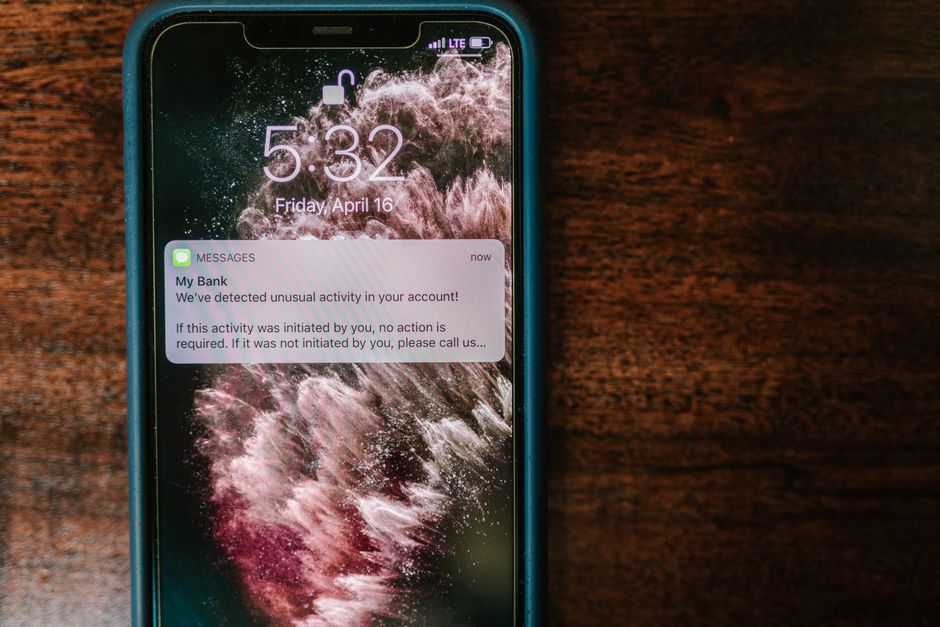
That explains the symptom exactly. The lock screen entry is drawn by the system, so it always appears. The Hive write depends on your Dart code running, which is not guaranteed. Your production panel is probably sending a slightly different payload than your curl test — most likely without content-available, or without the data block — and that difference, not the topic, is what you are seeing.
How to fix it
1. Prove it is the payload by sending the same body to a topic
Send your working token payload to a topic with curl and watch the behaviour. If the Hive write starts working, the targeting was never the problem.
curl -X POST \
  -H "Authorization: Bearer $ACCESS_TOKEN" \
  -H "Content-Type: application/json" \
  https://fcm.googleapis.com/v1/projects/$PROJECT_ID/messages:send \
  -d '{
    "message": {
      "topic": "order_history",
      "notification": { "title": "Cashback Alert", "body": "Special offer inside" },
      "data": {
        "title": "Cashback Alert",
        "body": "Special offer inside",
        "section": "order_history"
      },
      "apns": {
        "headers": { "apns-push-type": "alert", "apns-priority": "10" },
        "payload": {
          "aps": {
            "alert": { "title": "Cashback Alert", "body": "Special offer inside" },
            "sound": "default",
            "content-available": 1,
            "mutable-content": 1
          }
        }
      }
    }
  }'
Then compare it field by field with what the production panel sends. That is the fastest way to close this out.
2. Give iOS a reason to wake the app
If you want the background handler to have any chance of running, the message must be allowed to wake the app. Two shapes work:
- Alert +
content-available: 1— the user sees the banner and iOS may also give your app a short window to process it. This is what your working payload does. - Silent push — no
alert, onlycontent-available: 1, withapns-push-type: backgroundandapns-priority: 5. iOS delivers these opportunistically, throttles them heavily, and drops them entirely for force-quit apps.
Do not use apns-priority: 10 with apns-push-type: background; APNs rejects or downgrades the combination. Alerts get priority 10, background pushes get 5.
3. Stop treating the background handler as your source of truth
This is the actual fix. The handler is a cache warmer, not a database writer. Anything that must survive a force-quit has to come from somewhere the app can ask on launch.
The reliable pattern is a server-side history endpoint. When your backend sends a notification, it also records it against the user. On launch, the app fetches the last N entries and merges them into Hive, keyed by messageId so re-fetching is idempotent.
Future<void> syncNotificationHistory() async {
  final box = await Hive.openBox<NotificationModel>('notifications');
  final remote = await api.fetchNotifications(limit: 50);

  for (final item in remote) {
    if (!box.containsKey(item.messageId)) {
      await box.put(item.messageId, item);
    }
  }
  await box.flush();
}
Call it from main() after Hive is initialised, and again on AppLifecycleState.resumed. The background handler stays, but it becomes an optimisation rather than a requirement.
4. Use a Notification Service Extension for alert pushes
If you cannot add a server endpoint, the next best place to persist an alert notification is a Notification Service Extension. iOS launches it to process alert pushes that carry mutable-content: 1, and it can write into a shared App Group container that your Flutter app reads later.
// NotificationService.swift
override func didReceive(
    _ request: UNNotificationRequest,
    withContentHandler contentHandler: @escaping (UNNotificationContent) -> Void
) {
    let defaults = UserDefaults(suiteName: "group.com.example.app")
    var history = defaults?.array(forKey: "pendingNotifications") as? [[String: Any]] ?? []

    history.append([
        "id": request.identifier,
        "title": request.content.title,
        "body": request.content.body,
        "receivedAt": Date().timeIntervalSince1970
    ])
    defaults?.set(history, forKey: "pendingNotifications")

    contentHandler(request.content)
}
On the Flutter side, read the same suite through a small platform channel and drain pendingNotifications into Hive on launch. Keep the extension’s work short — it has a tight time budget.
5. Cover the tap paths as well
A notification the user taps is a separate entry point from one they ignore. Wire both up so the history is consistent:
FirebaseMessaging.onMessageOpenedApp.listen((message) {
  _saveToHive(message);
});

final initial = await FirebaseMessaging.instance.getInitialMessage();
if (initial != null) {
  _saveToHive(initial);
}
getInitialMessage() returns the message that launched the app from a terminated state, and only once — so consume it immediately and guard against duplicates by messageId.
6. Fix Hive access from the background isolate
Hive is not safe for concurrent access from two isolates. If your background handler opens notifications while the UI isolate already has it open, you can get stale reads, lock contention, or a corrupted box. Two options:
- Call
await Hive.initFlutter()(orHive.init(path)with the same directory) inside the background handler before opening anything, and alwaysawait box.close()when done. - Better, write from the background isolate to a separate box such as
notifications_inbox, and drain it into the main box when the app resumes.
Also make sure the handler is a top-level function annotated with @pragma('vm:entry-point') — you already have that — otherwise it is tree-shaken out of release builds and silently never runs.
How to prevent it
- Never assume a background handler ran. Reconcile from the server or a shared container on every launch and resume.
- Keep the production panel’s payload identical to your tested payload; diff the JSON, not the targeting.
- Key every stored notification by
messageIdso retries and re-syncs cannot create duplicates. - Test on a real device with the app force-quit, backgrounded, and terminated by the system — three different behaviours.
- Remember that silent pushes are best-effort. Do not build a feature that breaks when one is dropped.
FAQ
Does iOS run firebaseMessagingBackgroundHandler for topic messages the same way as for token messages?
Yes. Once the message reaches APNs, topic and token targeting are indistinguishable. The handler runs based on the payload and the app’s state, not on how the message was addressed.
Can iOS launch my Flutter background isolate after the user force-quits the app?
No. A force-quit from the app switcher tells iOS the user does not want the app running, and no push — alert or silent — will launch it. Only an explicit user tap on a notification, or opening the app manually, brings it back.
If the user opens the app from the home screen instead of tapping the notification, can I still retrieve it?
Not from FCM. There is no API that lists notifications already delivered to the device. That is exactly why the history has to be stored server-side, or captured by a Notification Service Extension at delivery time.
Parts of this guide are adapted from content licensed under CC BY-SA 4.0; this article is shared under the same license.